

Qoach CRM - CRM for sports schools

Qoach CRM runs a school from the first enquiry to a renewed membership: trial bookings, groups and timetable, attendance register, money, conversations with parents. A coach works in an app on the phone, and a parent sees everything in a personal account.
How it started
Qoach CRM was not designed at a desk. It was written for a working basketball academy when off-the-shelf services stopped coping, and only then turned into a product.
- Before August 2026Three systems instead of one
KASPIY, the basketball academy where it all started, kept its records in an off-the-shelf cloud service: athletes, memberships, attendance. Enquiries and conversations lived separately, in Bitrix24. Data about one client sat in two places, and nothing could be added to someone else's service.
- 13 August 2026The decision to build our own
We decided to build the academy its own CRM, with enquiries, money, attendance, calls and chats in one system. The first version went live on the academy's address the same day.
- 6 September 2026Full migration in 24 days
The database was moved from the previous service: ledgers matched the old balances for every athlete without a single correction. Conversations from Bitrix24 were moved too, 1,422 of them.
- 15 September 2026The CRM becomes a product
By then the CRM already had the parent account, the coach app and the training methodology. Other schools started asking for access, which is how the name Qoach CRM and a separate product version appeared.
- 27 September 2026The first school outside the academy
Twelve days after that decision we deployed an instance for the first external school: its own database, its own address, its own logo. A launch is one script with twenty checks.
- October 2026Modules and the manual
Features are split into a core and seven modules that a school switches on as needed. A twelve-chapter manual for staff, coaches and parents has been published.
What is inside
All screens below are taken from the demo: the school, the athletes and the amounts are invented. The interface is in Russian.
Enquiries and trial sessions
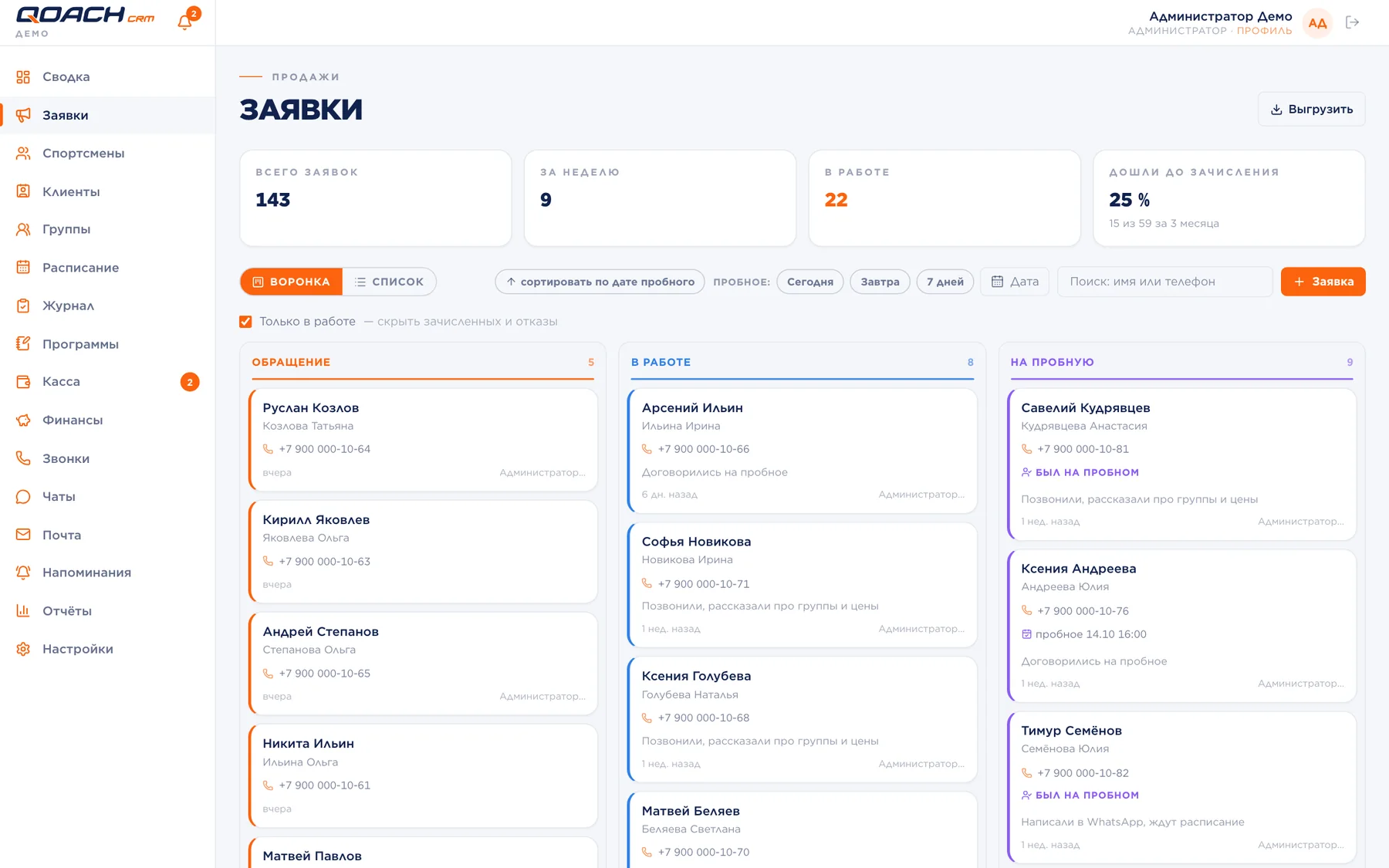
An enquiry arrives from the website form, a messenger chat or a phone call, or is entered by hand. From there it moves through stages from first contact to enrolment, and each stage shows what to do next.
- A trial is booked for a specific session of a group: the child appears in the coach's register for that day automatically.
- Once the coach marks the trial attendee, the enquiry moves to the "Attended trial" stage on its own.
- Enrolment takes one button; a refusal is saved with a reason, so you can see later why people leave.
Athletes, memberships and the ledger
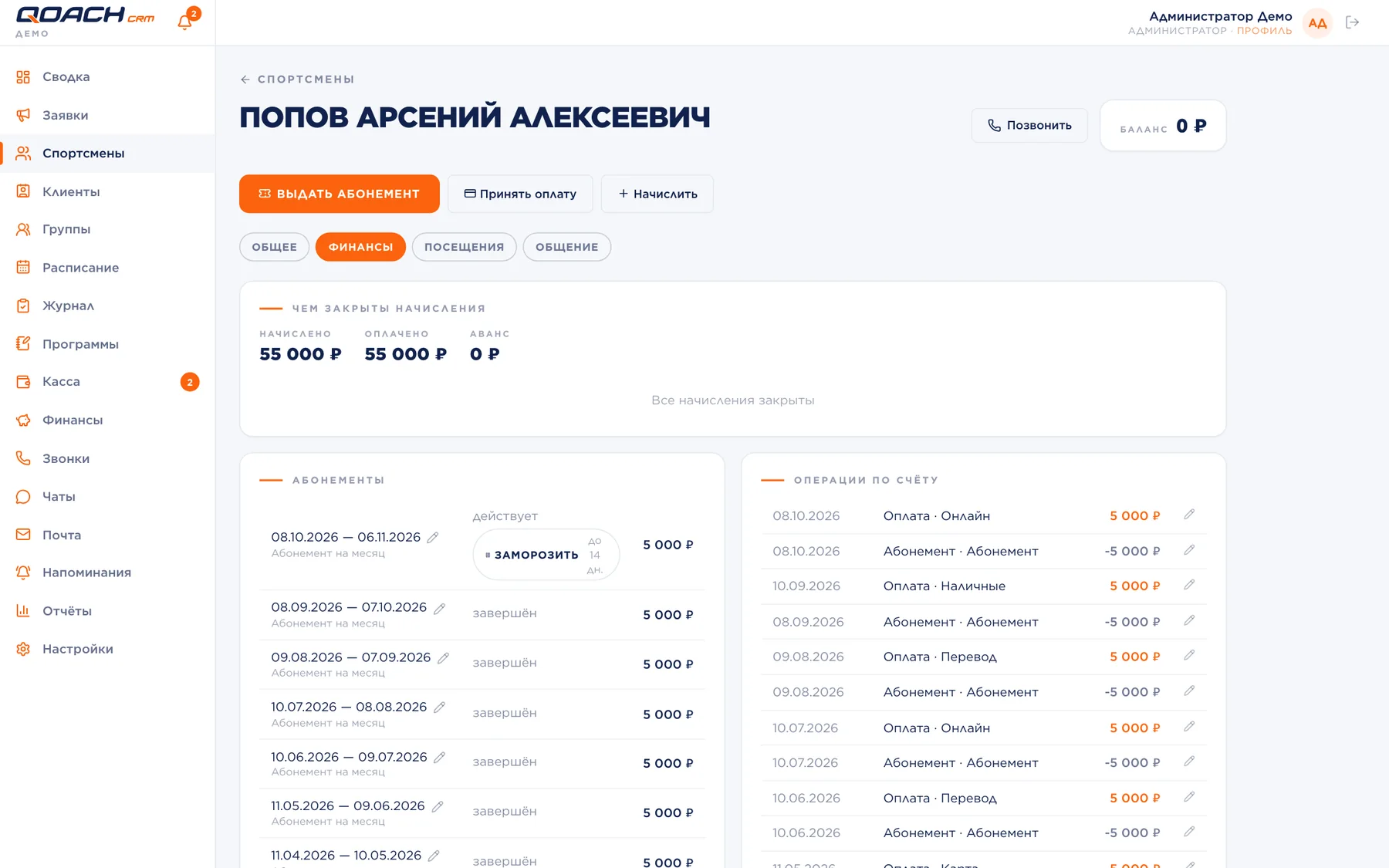
An athlete and a parent are separate cards: a child can have several adults, one of whom is the payer. Each athlete has a personal ledger, a feed of charges and payments.
- The balance is never typed in by hand: it is the sum of operations, so debt and prepayment always match the history.
- Four tariff types: monthly membership, session pack, single session and private sessions with a coach's share.
- Freezing by tariff rules, renewal, and charges for kit and fees.
Attendance register
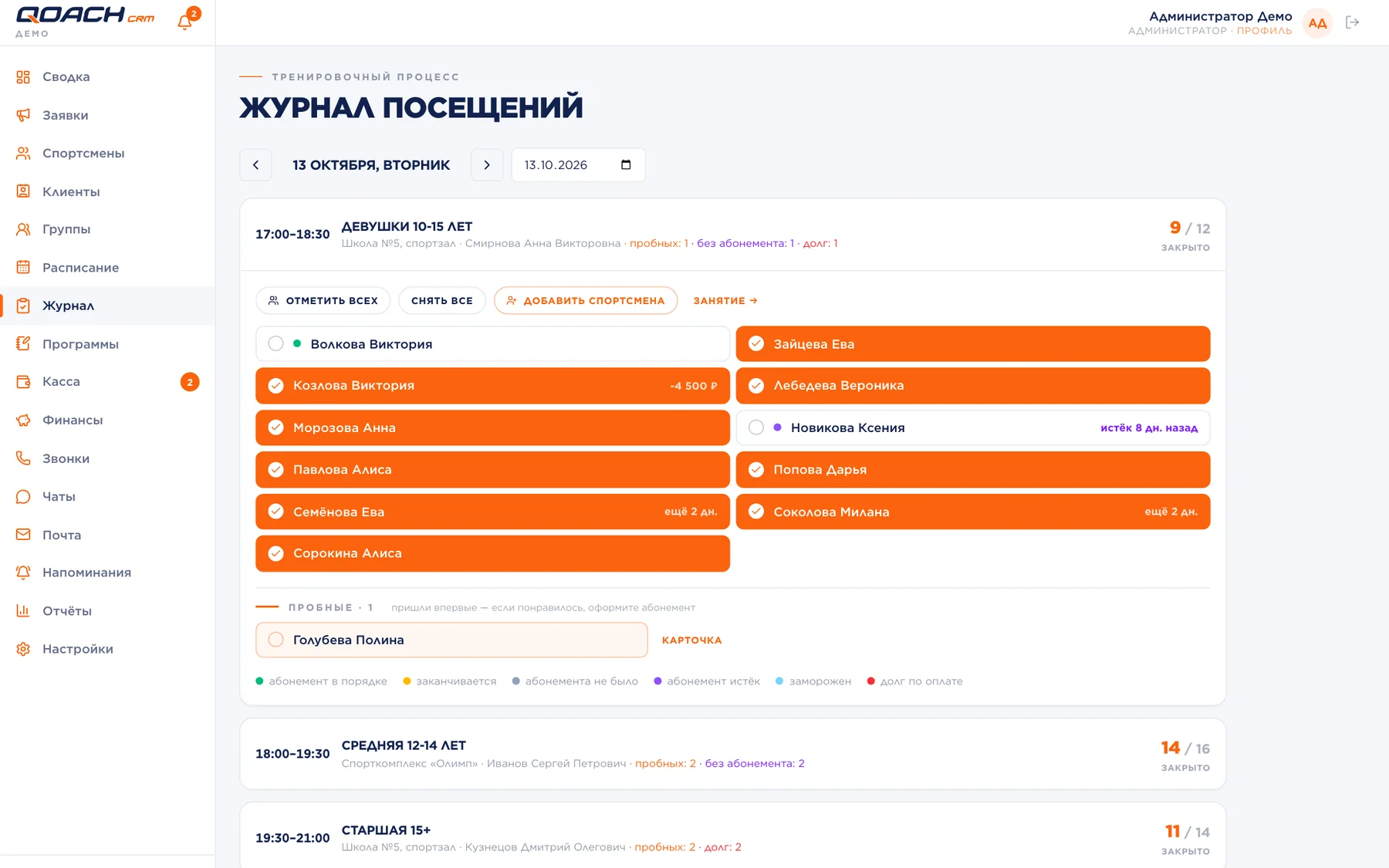
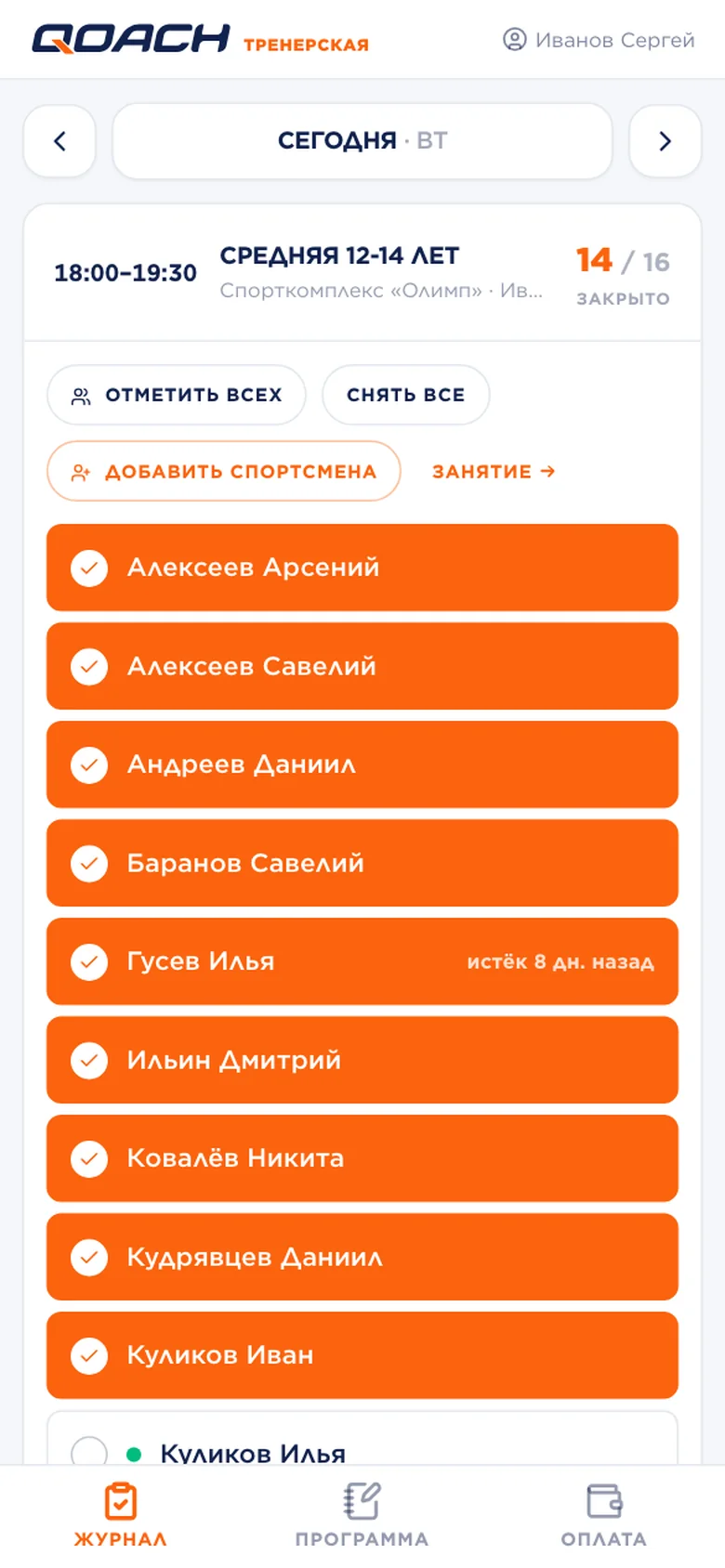
One tap on a name marks attendance, with no Save button: the register was built for weak signal in a sports hall. A coloured dot next to the name shows debt or an expired or expiring membership.
- Sessions are created automatically from the group timetable, nothing to enter by hand.
- Guests and trial attendees sit in separate blocks so they are not lost in the main list.
- The monthly timesheet and the group list can be printed or exported to a spreadsheet.
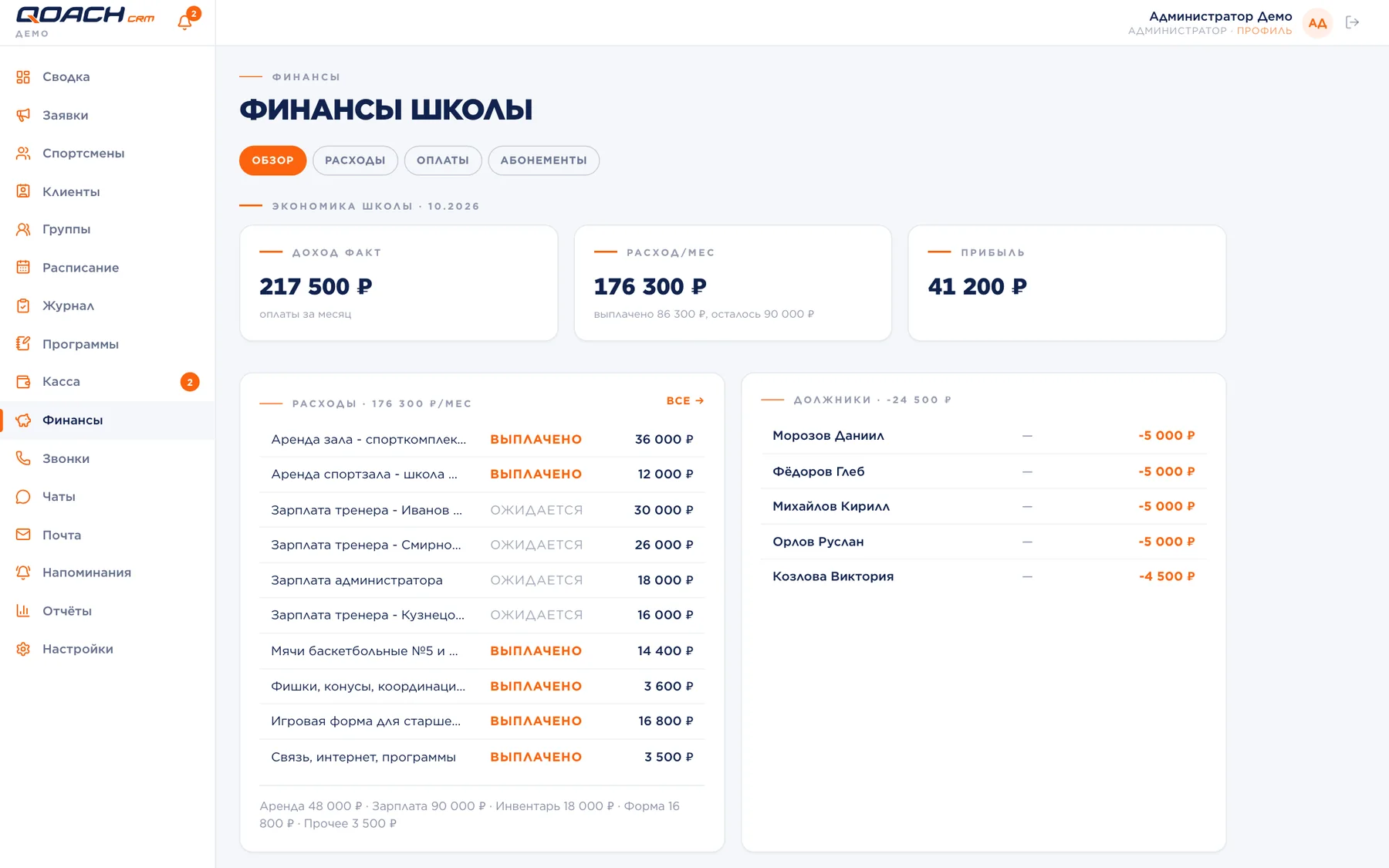
The school's money
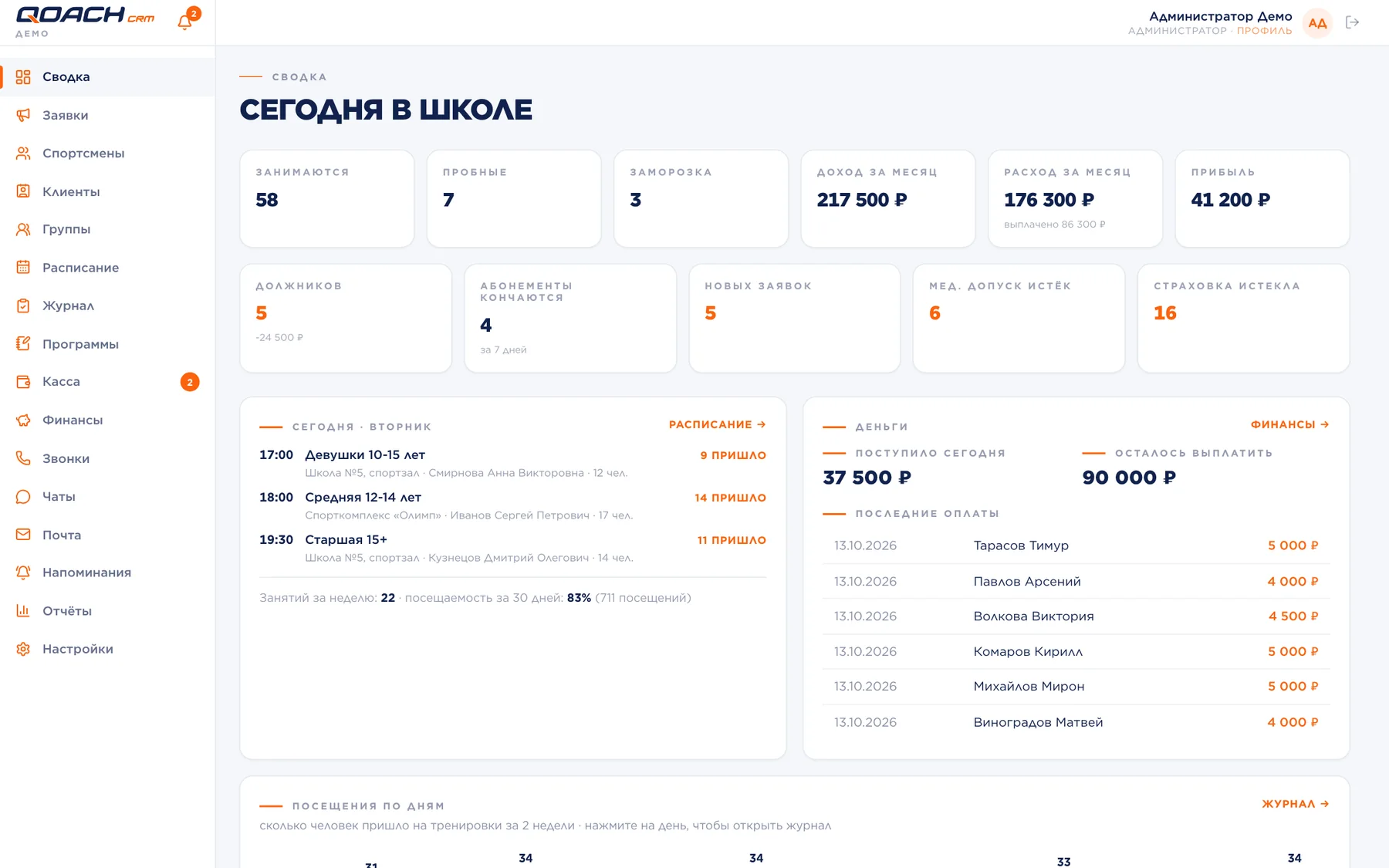
Income, expenses and profit for the month on one screen. A separate Till screen for the front desk shows debtors and takes a payment in two taps.
- A payment taken by a coach in the hall waits for the administrator's confirmation before it reaches the balance.
- Expenses by category: rent, salaries, equipment, with a "paid" mark.
- Online payment through the Russian Faster Payments System: a link from staff or a button in the parent account, and the money lands on the ledger automatically.
Conversations with parents inside the CRM
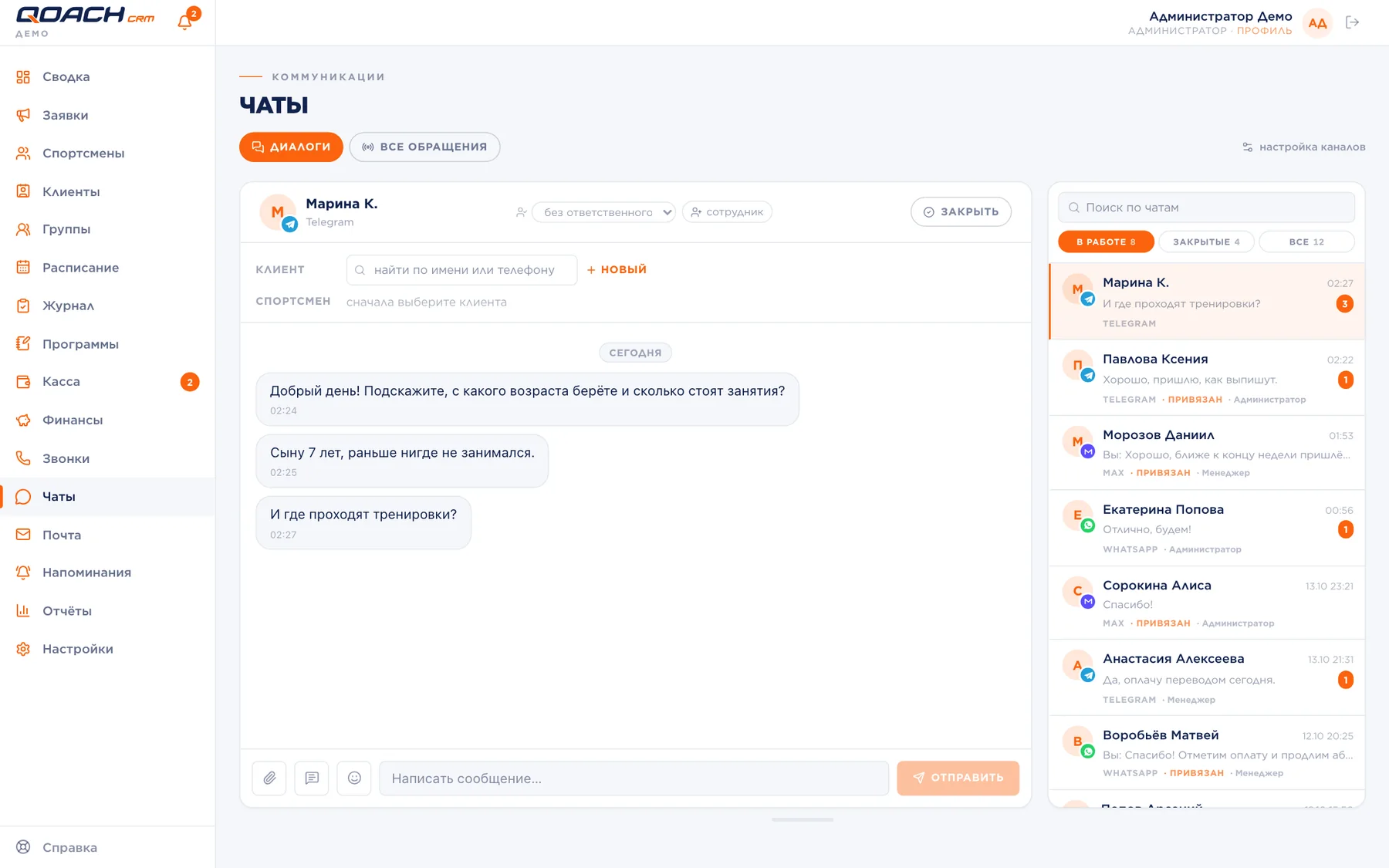
Parents write in a messenger, not in a CRM. So the messengers come to the CRM: a conversation opens in the Chats section and stays in the client and athlete cards.
- A school connects Telegram and MAX in settings on its own; chats run through our Qonnect connector, installed next to each school's CRM.
- Rules: whether an enquiry is created from a message, who is responsible, when a silent conversation is closed.
- Reminders to debtors and to those whose membership is running out go to the messenger straight from the list.
Reports for the head of the school
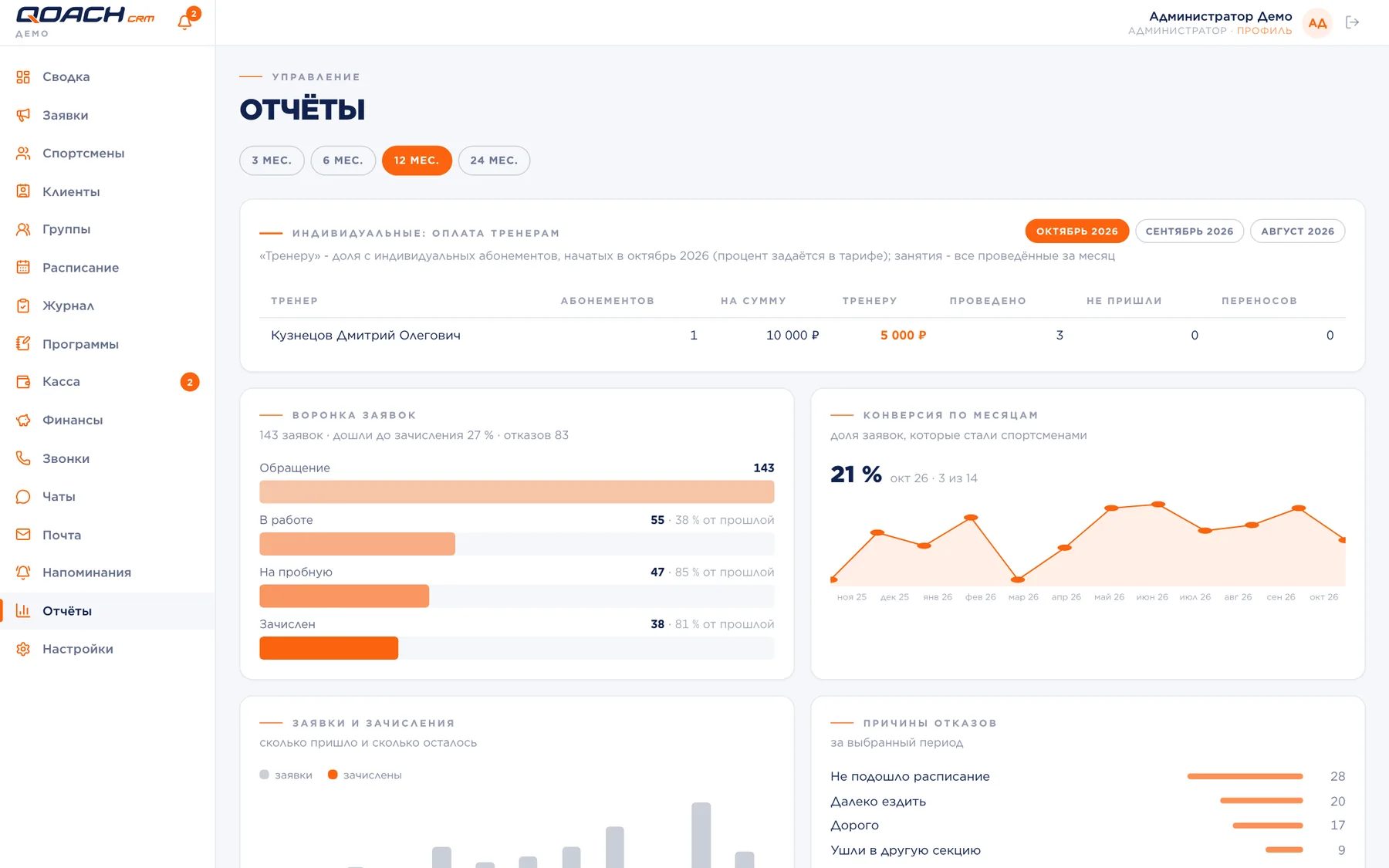
Nine reports on one page: where enquiries come from, how many reach enrolment, why people refuse, how groups attend and what happens with money month by month.
- Period: 3, 6, 12 or 24 months.
- The "Today at the school" dashboard: sessions of the day, debtors, new enquiries, expired medical clearances.
- Pay for coaches' private sessions is calculated from the sessions actually held.
Coach and parent
The coach app on a phone
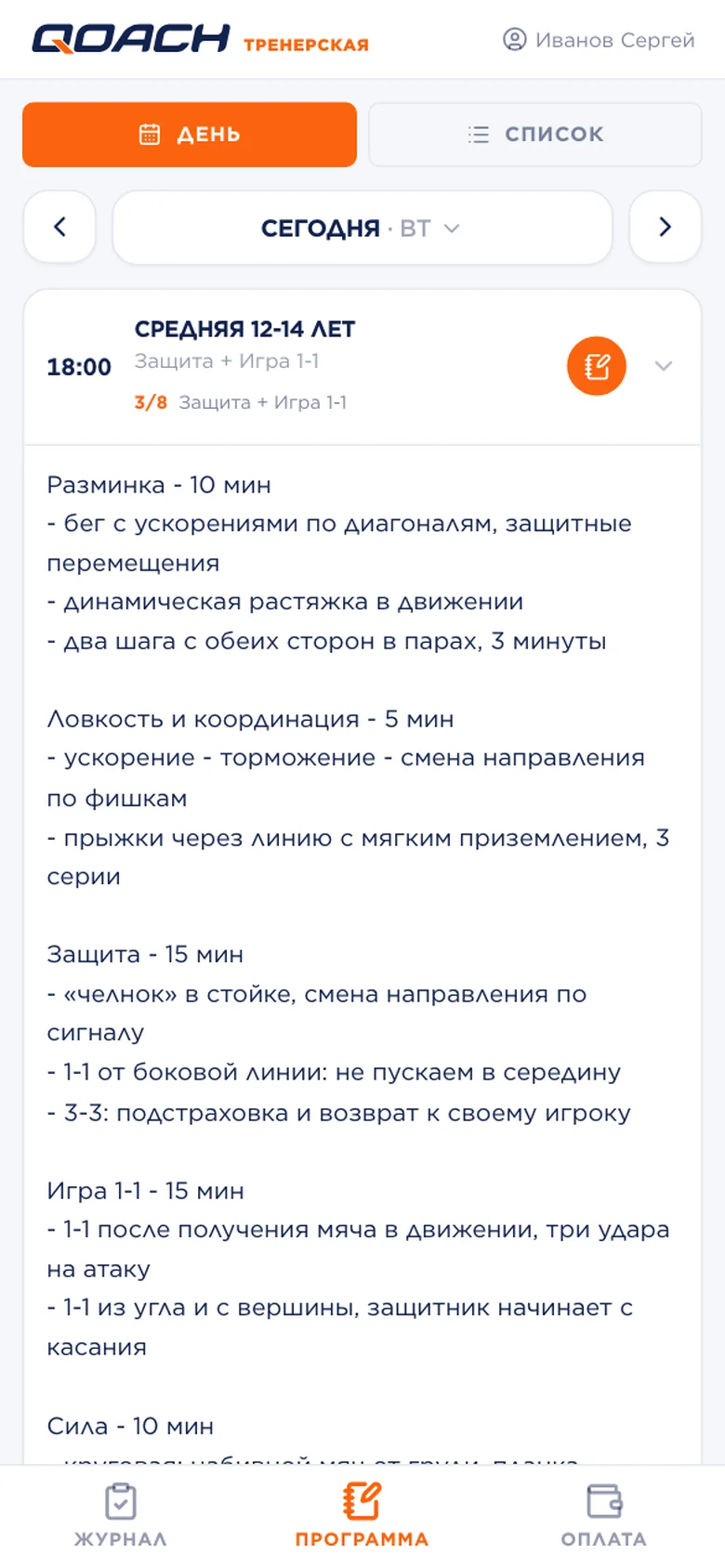
A coach has an app with three tabs: register, session plan and payment. Coaches see only their own groups and mark a session right in the hall.
- A plan for each session: text, topic, video and photos. There are templates and a "same as last time" button.
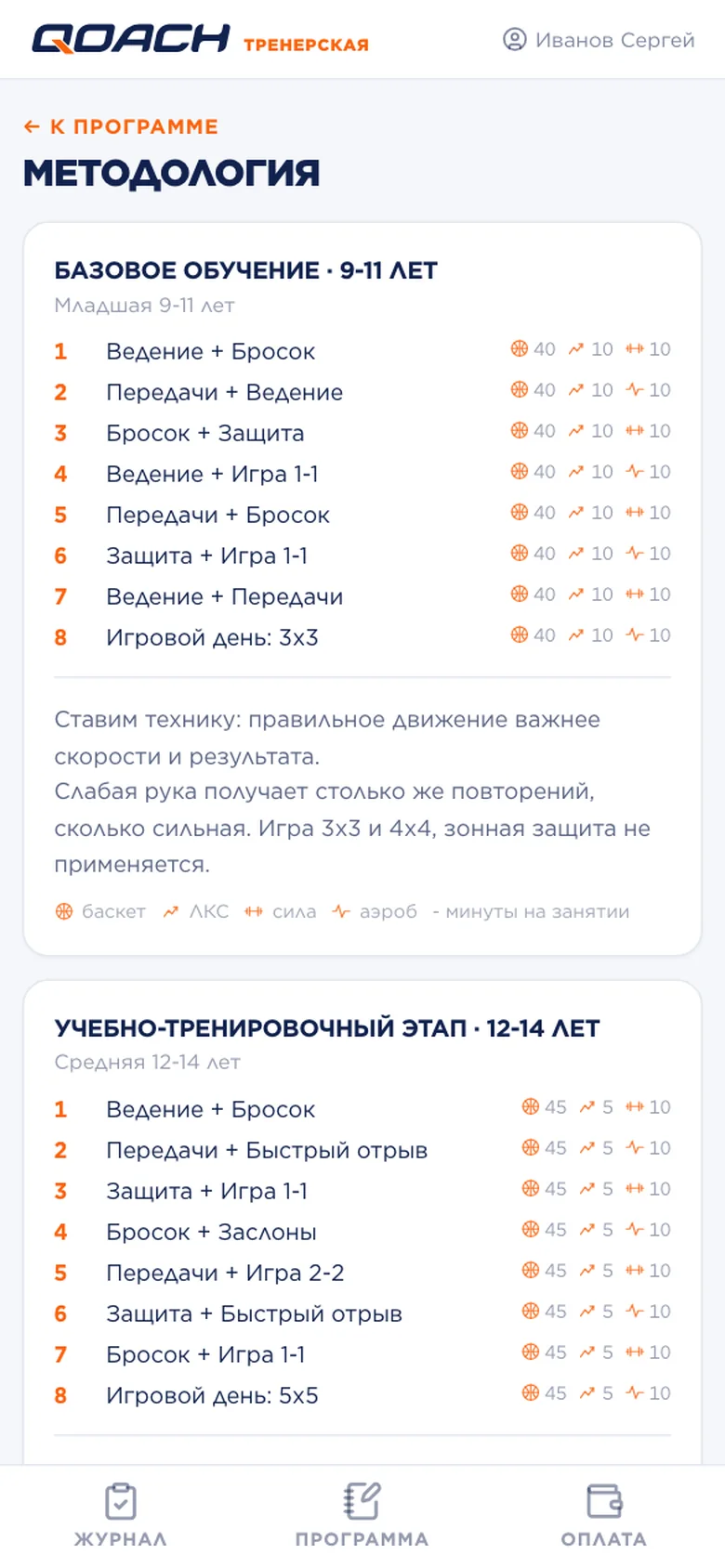
- The school's methodology is at hand: levels by age, a cycle of sessions, skills with target hours. A plan is built from a frame, and the minutes add up on their own.
- The head of the school sees which skills a group has already practised and which topics lag behind.
A parent signs in from a phone and sees their children: group and coach, membership, balance, timetable for the week and attendance.
- Sign-in by a code from a messenger or SMS, by password, by a personal link or QR.
- The session plan with photos and video sits next to the attendance mark.
- The contract is read and accepted in the account, and payment takes one button.
Four roles: administrator, manager, cashier and coach. The set of permissions of each role can be changed, and a member of staff can get a personal set.
- A change log: who changed what in a card or in the money.
- Notifications in the bell, by push to the phone and in the school's shared chat.
- The school's name, logo, legal details and contacts appear on every page parents see.
A core and seven modules
A school takes the core and adds what it needs now. A switched-off module disappears from the menu, and its data stays.
In the core: enquiries, athletes and clients, groups and timetable, attendance register, memberships and the ledger, the till, session plans, the dashboard and roles.
How we launch a school
A school gets a separate instance: its own database, its own address and its own backups. One school's data does not sit next to another's.
- A launch is one script with twenty checks.
- We install updates; the previous version is kept for rollback.
- The messenger connector is installed together with the CRM.
We move athletes, groups, memberships and balances so that the balances match. The academy the product started with moved in 24 days without stopping work.
- We reconcile ledgers with the balances of the previous system.
- We move the conversation history if it was kept in a CRM.
- We train administrators and coaches with the ready-made manual.
Frequently asked questions
What kind of schools is Qoach CRM for?
How is Qoach CRM different from an ordinary record-keeping system for clubs?
Which messengers can be connected?
In which language is the interface?
Do coaches and parents need to install anything?
How much does Qoach CRM cost?
Can we see the system before buying?
Let us show it on your school
Tell us how many groups and coaches you have and where you keep records now. We will show the demo, estimate the migration and name the price before any work starts.